
HTTP2Shell shattered that assumption.
Operating not within PHP or the WordPress core database, HTTP2Shell targets the foundational networking protocols and compression libraries that deliver data across the web. Specifically targeting flaws in implementations handling Brotli decompression over HTTP/2 connections, this critical vulnerability exposes web servers to remote exploitation, denial of service (DoS), and memory corruption before incoming web traffic ever reaches WordPress.
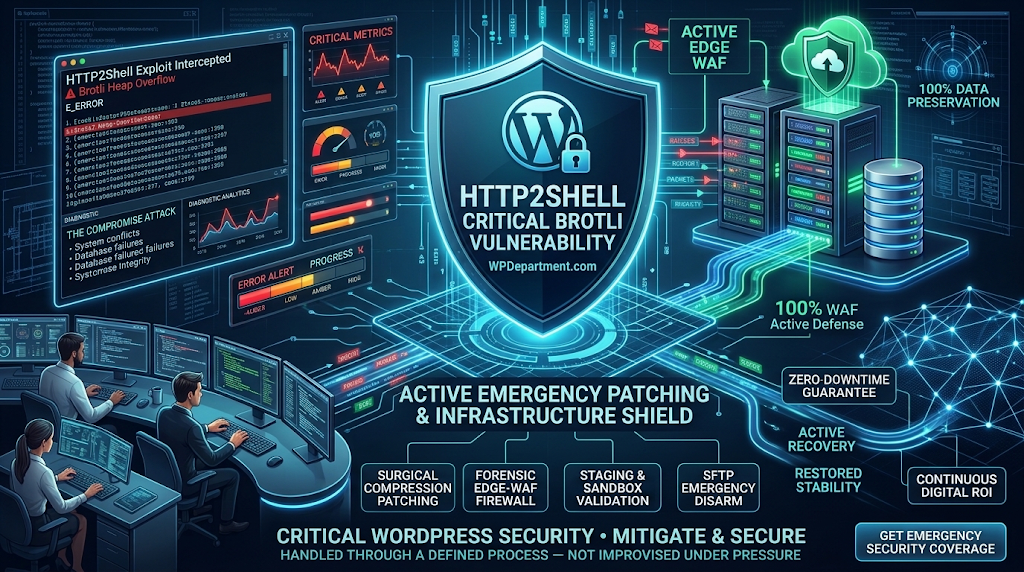
If your site handles transactional customer workflows, high-concurrency traffic, or enterprise data, understanding HTTP2Shell is essential.
At WPDepartment.com, our engineering-first security operations grid protects high-availability platforms against threats that bypass standard security plugins. Here is the technical breakdown of the HTTP2Shell Brotli exploit, what it means for your WordPress stack, and how to defend your infrastructure.
1. What Is HTTP2Shell? The Mechanics of the Exploit
To understand why HTTP2Shell represents such a significant operational risk, it helps to look at where the vulnerability sits in the web communication hierarchy:
┌────────────────────────────────────────────────────────┐
│             THE TRADITIONAL VS. EDGE THREAT            │
├────────────────────────────────────────────────────────┤
│ Application Layer (WordPress / PHP)  ◄ Standard Plugins│
│ ────────────────────────────────────────────────────── │
│ Web Server Layer (Nginx / Apache)    ◄ SYSTEM PACKAGES │
│ Transport Layer (HTTP/2 / Brotli)    ◄ HTTP2SHELL ZONE │
└───────────────────────────┬────────────────────────────┘
                            │  Compromised Before PHP Boot
                            ▼
┌────────────────────────────────────────────────────────┐
│            THE WPDEPARTMENT PROACTIVE SHIELD           │
│ Cloud-Edge WAF • Kernel Patching • Isolated Staging    │
└────────────────────────────────────────────────────────┘
HTTP2Shell exploits boundary calculation errors and heap memory handling routines inside vulnerable Brotli decompression modules when processing malformed stream headers over multiplexed HTTP/2 sessions:
Crafted Frame Injection
An attacker constructs an anomalous HTTP/2 payload containing maliciously nested, fragmented Brotli compression headers.
Buffer Allocation Exhaustion
As the reverse proxy or web server attempts to decompress the stream in memory, the engine encounters an unhandled pointer offset or integer wrap.
Execution or Panic
Depending on the underlying server architecture, the vulnerability triggers an immediate thread panic (denial of service, dropping all active concurrent connections) or creates a pathway for arbitrary command execution at the web server process level (www-data or root).
2. Why Standard WordPress Security Plugins Cannot Stop It
Execution Lifecycle
A WordPress plugin executes inside the PHP-FPM runtime. If a malicious HTTP/2 stream crashes the web server during Brotli decompression, PHP never executes. The site goes down immediately with a 502 Bad Gateway or connection drop, bypassing your security plugin completely.
Lack of System-Level Access
Application-layer plugins cannot patch system libraries like libbrotli or alter web server binary modules compiled into Apache or Nginx. Resource Starvation: Automated scanners weaponizing HTTP2Shell can flood your web server with malformed compressed frames, triggering CPU throttling and memory exhaustion that locks out legitimate visitors.
Resource Starvation
Automated scanners weaponizing HTTP2Shell can flood your web server with malformed compressed frames, triggering CPU throttling and memory exhaustion that locks out legitimate visitors.
3. The 4-Step Engineering Protocol to Mitigate HTTP2Shell
Step 1: Inspect and Upgrade Upstream Brotli Libraries
Verify the version of Brotli compiled into your web server daemon. If you manage dedicated cloud instances (such as AWS EC2, DigitalOcean, or Linode), execute system-level dependency checks via SSH:
Bash
# Verify installed Brotli package versions on Debian/Ubuntu systems
dpkg -l | grep -i brotli

# Update system repositories and upgrade core server packages
sudo apt-get update && sudo apt-get --only-upgrade install libbrotli1 brotli nginxStep 2: Deploy Cloud-Edge Filtering (WAF Shielding)
Edge Decompression & Sanitization
Cloud edge networks terminate HTTP/2 handshakes and inspect incoming compressed streams before forwarding sanitized requests to your origin web server.
Malformed Frame Dropping
Edge WAF rules automatically detect and drop malformed Brotli dictionaries and irregular frame sequences, shielding your server from CPU thrashing.
Step 3: Temporary Fallback: Gzip Redirection (If Unpatched)
Nginx
# Temporarily disable Brotli compression while updating server packages
brotli off;
brotli_static off;

# Maintain standard gzip compression to preserve Core Web Vitals
gzip on;
gzip_comp_level 5;
gzip_types text/plain text/css application/javascript application/json image/svg+xml;
Reload Nginx using sudo nginx -t && sudo systemctl reload nginx to apply changes with zero downtime.
Step 4: Implement Defensive Runtime Telemetry
PHP
<?php
/**
* Plugin Name: Sovereign Protocol Header Guard
* Description: Inspects incoming client encoding headers to catch malformed transport markers.
* Author: WPDepartment.com
*/
if ( ! defined( ‘ABSPATH’ ) ) {
exit;
}
add_action( ‘init’, ‘wpd_inspect_client_compression_signatures’, 1 );
function wpd_inspect_client_compression_signatures() {
if ( is_admin() ) {
return;
}
$client_encoding = sanitize_text_field( $_SERVER[‘HTTP_ACCEPT_ENCODING’] ?? ” );
// Detect malformed, deeply nested, or oversized compression headers
if ( strlen( $client_encoding ) > 256 || preg_match( ‘/[^\w\s\-,;=.*]/’, $client_encoding ) ) {
error_log( ‘[WPD SECURITY] Suspicious compression header signature rejected: ‘ . esc_html( $client_encoding ) );
// Terminate request early to insulate downstream PHP threads
status_header( 400 );
nocache_headers();
exit( ‘Invalid Protocol Headers.’ );
}
}
4. From Vulnerability Firefighting to Complete Infrastructure Governance
┌────────────────────────────────────────────────────────┐
│             REACTIVE FIXES VS. PROACTIVE CARE          │
├────────────────────────────────────────────────────────┤
│ Reactive Model   ► Server panic • Downtime • 502 Drops │
│ Proactive Care   ► Edge WAF • Kernel Patches • 24/7 RUM│
└───────────────────────────┬────────────────────────────┘
                            │  System Resilience
                            ▼
┌────────────────────────────────────────────────────────┐
│             OPERATIONAL PEACE OF MIND                  │
│ Sub-Second Speeds • Zero Data Loss • Complete Security │
└────────────────────────────────────────────────────────┘
Frequently Asked Questions
Shield Your WordPress Infrastructure with WPDepartment
To understand the company behind these solutions, you can explore Staxtar’s official platform for more technical and business details.