
In the fast-moving landscape of enterprise cybersecurity, headlines can often be deceptively reassuring:
“Active scanning and probe attacks against HTTP2Shell/Brotli vectors continue across global networks, but security telemetry confirms no known successful compromises as a result yet.”
“No known compromises yet” does not mean threat actors have abandoned the exploit. It means threat actors are actively probing the perimeter—weaponizing automated scanners, testing payload delivery, mapping vulnerable reverse-proxy signatures, and searching for misconfigured server edge nodes.
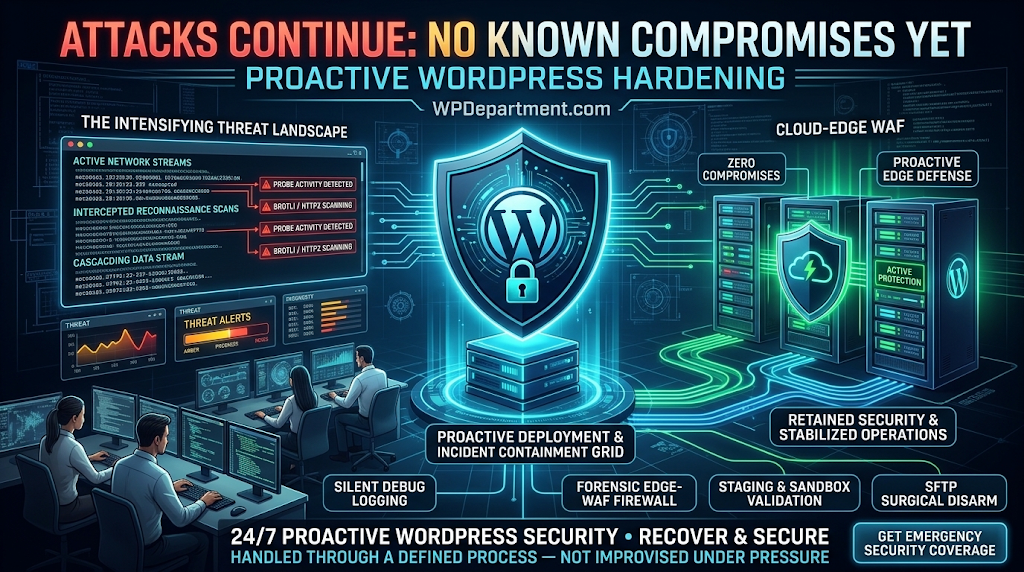
Once an exploit script stabilizes, the window between probe and full system compromise drops from days to seconds.
1. The Threat Anatomy: Probing vs. Exploitation
┌────────────────────────────────────────────────────────┐
│             THE 3-STAGE ATTACK EVOLUTION GRID          │
├────────────────────────────────────────────────────────┤
│ STAGE 1: MASS PROBING      ► Scanning HTTP/2 Endpoints │
│ STAGE 2: PAYLOAD TUNING    ► Refining Decompression    │
│ STAGE 3: MASS EXPLOITATION ► Automated Web Shell Drops │
└───────────────────────────┬────────────────────────────┘
                            │  Current Industry Position: STAGE 1–2
                            ▼
┌────────────────────────────────────────────────────────┐
│           THE WINDOW FOR PROACTIVE MITIGATION          │
│ System Package Updates • Edge WAF Filtering • Staging  │
└────────────────────────────────────────────────────────┘
Reconnaissance Streams
Automated botnets dispatch malformed HTTP/2 frame headers containing compressed Brotli chunks directly to server port 443.
Buffer Stress Testing
Attackers monitor connection behavior, measuring whether the server returns a 400 Bad Request, resets the connection (RST_STREAM), or experiences a worker crash (502 Bad Gateway.
The Weaponization Phase
As soon as an attacker discovers a server build with unpatched memory boundaries, they transition from reconnaissance probes to remote code execution (RCE) attempts.
2. Why "No Known Compromises" Creates a Dangerous False Sense of Security
Relying on the absence of reported breaches as a security strategy fails for three operational reasons:
A. Exploits Execute Upstream from Security Plugins
Traditional WordPress security plugins execute inside the PHP-FPM environment after the web server has accepted, decompressed, and routed the HTTP request. If a malformed stream causes a memory overflow inside the web server daemon or reverse proxy, your security plugin never runs. It cannot block the attack, nor can it log the probe in your WordPress dashboard.
B. Silent Reconnaissance Precedes Sudden Automated Campaign Waves
Global botnets do not launch noisy, site-breaking attacks while testing payloads. They refine their scripts quietly on thousands of targets. Once an automated weaponization tool is published on underground forums, unpatched production environments are compromised in automated, high-velocity sweeps.
C. Server-Level Vulnerabilities Bypass Core Updates
Clicking "Update All" on plugins and themes inside wp-admin does not update the underlying server stack. If your hosting environment runs an outdated compilation of libbrotli, an unmaintained reverse-proxy binary, or an unhardened web daemon, your site remains exposed regardless of how up-to-date your WordPress core files are.
3. The Proactive Hardening Blueprint: How to Secure Your Infrastructure
Insulating your platform before probes convert into successful breaches requires systematic, full-stack infrastructure hardening.
Step 1: Audit and Update System-Level Server Packages
Bash
# Query installed system compression libraries on Debian/Ubuntu
dpkg -l | grep -E "brotli|nginx|apache2"

# Apply upstream package updates cleanly
sudo apt-get update && sudo apt-get --only-upgrade install libbrotli1 brotli nginx
Step 2: Deploy Edge-Level Stream Inspection & Web Application Firewalling
Terminating HTTP/2 connections and decompressing payloads directly on an unshielded origin server increases your attack surface. Place an enterprise cloud-edge network (such as Cloudflare Enterprise) in front of your domain:
Edge Transport Termination
The edge proxy manages the HTTP/2 handshake and inspects incoming compressed streams before forwarding sanitized requests to your origin web server.
Automated Malformed Frame Dropping
Cloud firewalls identify and drop non-standard compression dictionaries, fragmented header frames, and malformed Brotli payloads at the edge, preventing CPU exhaustion on your origin server.
Step 3: Enforce Temporary Gzip Fallback for Vulnerable Stacks
In your Nginx configuration ( /etc/nginx/nginx.conf ):
Nginx
# Temporarily disable Brotli compression while server patches are finalized
brotli off;
brotli_static off;

# Retain gzip compression to preserve mobile Core Web Vitals
gzip on;
gzip_comp_level 5;
gzip_types text/plain text/css application/javascript application/json image/svg+xml;
Apply the configuration cleanly with zero downtime:
Bash
sudo nginx -t && sudo systemctl reload nginx
Step 4: Deploy Defensive Application-Layer Telemetry
<?php
/**
* Plugin Name: Sovereign Protocol Header Telemetry Guard
* Description: Inspects incoming client encoding headers to reject malformed transport signatures.
* Author: WPDepartment.com
*/
if ( ! defined( ‘ABSPATH’ ) ) {
exit;
}
add_action( ‘init’, ‘wpd_enforce_protocol_header_hygiene’, 1 );
function wpd_enforce_protocol_header_hygiene() {
if ( is_admin() ) {
return;
}
$client_encoding = sanitize_text_field( $_SERVER[‘HTTP_ACCEPT_ENCODING’] ?? ” );
// Terminate requests carrying non-standard, malformed, or excessively long compression headers
if ( strlen( $client_encoding ) > 256 || preg_match( ‘/[^\w\s\-,;=.*]/’, $client_encoding ) ) {
error_log( ‘[WPD DEFENSIVE TELEMETRY] Malformed compression header intercepted: ‘ . esc_html( $client_encoding ) );
status_header( 400 );
nocache_headers();
exit( ‘Protocol Request Rejected.’ );
}
}
4. From Vulnerability Anxiety to Operational Sovereignty
High-performing digital businesses don’t wait for headlines to confirm compromises. They operate under a Proactive Infrastructure Protocol:
┌────────────────────────────────────────────────────────┐
│            REACTIVE ANXIETY VS. PROACTIVE OPERATIONS   │
├────────────────────────────────────────────────────────┤
│ Reactive Stance  ► Hesitation • "No breach yet" • Panic│
│ Proactive Grid   ► Staged Updates • Edge WAF • 24/7 Ping│
└───────────────────────────┬────────────────────────────┘
                            │  Predictable Business Stability
                            ▼
┌────────────────────────────────────────────────────────┐
│              CONTINUOUS DIGITAL PERFORMANCE            │
│ Sub-Second Speeds • Complete Data Preservation • Uptime│
└────────────────────────────────────────────────────────┘
Frequently Asked Questions
Secure Your Infrastructure Before Probes Turn Into Breaches
Don’t wait for an active exploit to test your server’s defenses. Put your WordPress architecture behind senior engineers who actively monitor, patch, and protect your entire stack.
To understand the company behind these solutions, you can explore Staxtar’s official platform for more technical and business details.