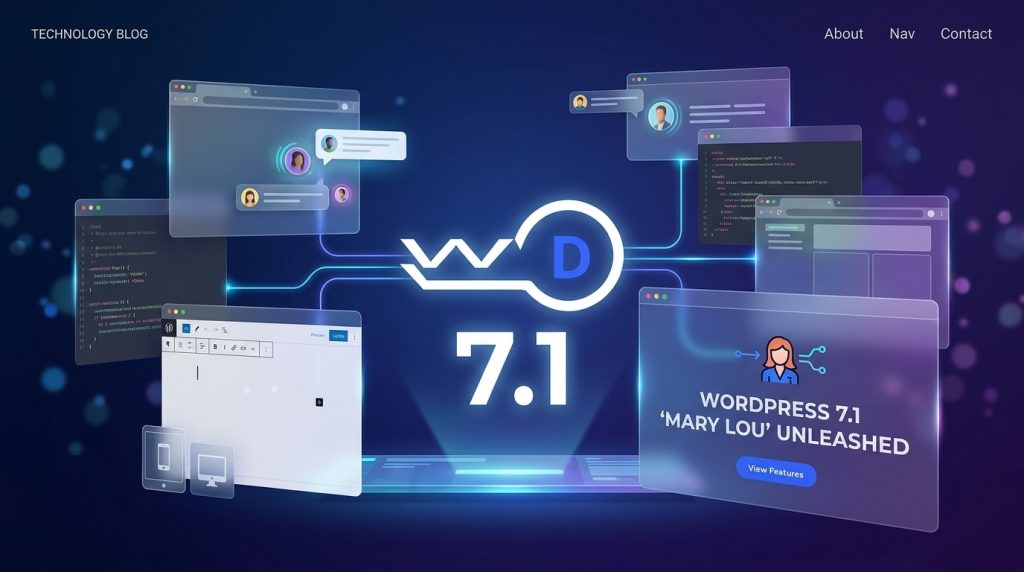
This major core release focuses on authoring workflows: how marketing teams collaborate, how designers style responsive layouts across viewports, and how developers build high-performance web applications without piling on plugin bloat.
┌────────────────────────────────────────────────────────┐
│             WORDPRESS 7.1 CORE ADVANCEMENTS            │
├────────────────────────────────────────────────────────┤
│ 1. COLLABORATION          ► Inline Notes & @mentions   │
│ 2. DESIGN CONTROLS        ► Native Responsive Styles   │
│ 3. MEDIA WORKFLOWS        ► Browser-Side Compression   │
│ 4. EXTENSIBILITY          ► Tabs, Playlists, Icon API  │
└───────────────────────────┬────────────────────────────┘
                            │  High-Performance Execution
                            ▼
┌────────────────────────────────────────────────────────┐
│            PROACTIVE STAGING & UPGRADE MATRIX          │
│ Isolated Sandbox Testing • Zero Downtime • Clean Schema │
└────────────────────────────────────────────────────────┘
Upgrading to a major milestone like 7.1 brings powerful functionality that eliminates heavy third-party plugins while streamlining content operations.
1. Design & Workflow: Breakpoint Styling Without Custom CSS
Native Responsive Block Styling
You can now visually configure styling rules for desktop, tablet, and mobile viewports directly inside individual block inspector panels and Global Styles, without relying on custom CSS classes.
Element Pseudo-State Support
Direct controls for :hover, :focus, and :active states for interactive elements (such as buttons and links) are now natively configurable in the editor.
Persistent Admin Navigation
The WordPress admin bar now follows your workflow continuously across the entire site editing experience, keeping publishing controls within immediate reach whether you are drafting a post or fine-tuning site-wide templates.
2. Collaboration: Granular Inline Notes and Team @Mentions
Phase 3 collaboration takes a major leap forward in WordPress 7.1 by refining how editorial and marketing teams review content:
Inline Text-Range Annotations
Feedback is no longer restricted to the overall block level. Editors can highlight a specific sentence or phrase to attach a contextual note.
Rich Text Notes & @Mentions
Team members can format feedback with bold, italics, links, and code snippets, while tagging teammates via @mentions to trigger immediate notification loops.
Collapsible Discussion Threads
Multiple review threads on the same content block collapse neatly into the canvas margin, keeping the authoring canvas clean and uncluttered.
3. Media Performance: Client-Side Processing for HEIC & AVIF
Browser-Side Image Compression (WebAssembly)
Image compression, dimension resizing, and thumbnail generation execute client-side via a WebAssembly engine, eliminating server memory spikes and PHP timeout errors during bulk uploads.
Next-Gen Format Support
Full native encoding and decoding pipelines are integrated for modern formats including AVIF, HEIC, UltraHDR, and WebP.
Consolidated Media Editor
A unified media editing modal replaces the old inline tool, integrating freeform and aspect-ratio cropping, 90-degree and snap rotation, horizontal/vertical flipping, and image metadata editing into a single workflow.
4. Developer Toolkit: Tabs, Playlists, and the SVG Icon API
New Core Tabs Block
Build accessible, tabbed user interfaces natively with semantic HTML markup and complete keyboard navigation out of the box.
New Core Audio Playlist Block
Embed responsive, lightweight audio queues directly into layouts without relying on custom media player scripts.
SVG Icon Registration API
Developers can register custom SVG icon sets cleanly through theme.json and block filters, deprecating the need for bulky icon font libraries.
Here is how you can programmatically register a custom SVG icon set using the modern WordPress 7.1 Icon API:
PHP
<?php
/**
* Plugin Name: Sovereign Icon Library Extension
* Description: Registers corporate SVG icon sets via the WordPress 7.1 Icon API.
* Author: WordPressDepartment.com
*/
if ( ! defined( ‘ABSPATH’ ) ) {
exit;
}
add_filter( ‘wp_register_icon_sets’, ‘wd_register_corporate_svg_icon_set’ );
function wd_register_corporate_svg_icon_set( array $icon_sets ): array {
$icon_sets[‘corporate-sovereign’] = [
‘label’ => __( ‘Corporate Brand Icons’, ‘wd-textdomain’ ),
‘icons’ => [
‘shield-security’ => [
‘label’ => __( ‘Security Shield’, ‘wd-textdomain’ ),
‘svg’ => ‘<svg xmlns=”http://www.w3.org/2000/svg” viewBox=”0 0 24 24″ fill=”none” stroke=”currentColor” stroke-width=”2″><path d=”M12 22s8-4 8-10V5l-8-3-8 3v7c0 6 8 10 8 10z”/></svg>’
],
‘performance-speed’ => [
‘label’ => __( ‘Performance Gauge’, ‘wd-textdomain’ ),
‘svg’ => ‘<svg xmlns=”http://www.w3.org/2000/svg” viewBox=”0 0 24 24″ fill=”none” stroke=”currentColor” stroke-width=”2″><circle cx=”12″ cy=”12″ r=”10″/><polyline points=”12 6 12 12 16 14″/></svg>’
]
]
];
return $icon_sets;
}
The Strategic Upgrade Protocol: Why Production Upgrades Must Be Staged
┌────────────────────────────────────────────────────────┐
│           THE 4-STEP STAGED UPGRADE BLUEPRINT          │
├────────────────────────────────────────────────────────┤
│ Step 1: Encrypted Snapshot ► Daily Off-Site Backup     │
│ Step 2: Sandbox Deployment ► Automated Regression Check │
│ Step 3: Schema Governance  ► MySQL Index Optimization  │
│ Step 4: Live Synchronization► Monitored Production Push│
└────────────────────────────────────────────────────────┘
Major core updates alter database schemas, block attribute serialization, and REST API endpoints. If an active third-party plugin relies on deprecated filters, a direct live update can trigger immediate fatal errors, layout regressions, or checkout failures.
Frequently Asked Questions
Upgrade to WordPress 7.1 with Zero Operational Risk
To understand the company behind these solutions, you can explore Staxtar’s official platform for more technical and business details.