
The upcoming release of WordPress 7.2 (scheduled for December 8, 2026) is the third and final major core release of 2026. This landmark update brings significant advancements: the Ipsum default blank-canvas theme, a secure database-level Secrets API built on libsodium, emoji reactions within in-canvas Notes, browser-side image processing, and highly granular responsive styling controls.
Currently, WordPress 7.2 Beta 4 is ready for active developer and community testing. If you manage an enterprise website, run a high-traffic WooCommerce store, or operate a digital agency, testing this pre-release version is essential to ensuring your themes, plugins, and custom integrations are fully compatible before the core goes live.
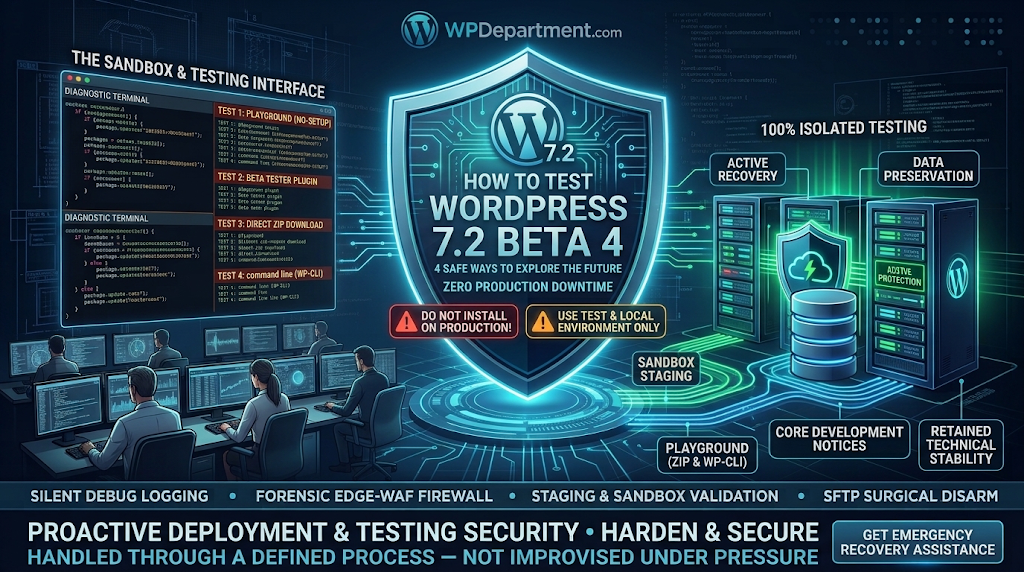
However, pre-release software comes with a strict, non-negotiable warning:
“This beta release is intended for testing and development only. Please do not install, run, or test this version of WordPress on production or mission-critical websites. Instead, use a test environment or local site to explore the new features.”
Unvetted beta code carries unresolved code conflicts and database schema changes. Testing belongs in a sandbox, never on your live production environments.
1. What's New in WordPress 7.2 Beta 4?
Beta 4 continues refining the 7.2 codebase, fixing 7.2-specific issues, and enhancing core behavior:
┌────────────────────────────────────────────────────────┐
│           WORDPRESS 7.2 BETA 4 HIGHLIGHTS              │
├────────────────────────────────────────────────────────┤
│ 1. STAGING INTEGRATION  ► Ipsum Blank-Canvas Theme     │
│ 2. SECRETS API ENGINE   ► Encryption via libsodium     │
│ 3. IN-CANVAS NOTES      ► Emojis & Sidebar notes       │
│ 4. ACCESSIBILITY FIXES  ► High Contrast focus state    │
└───────────────────────────┬────────────────────────────┘
                            │  Pre-Feature Freeze Iterations
                            ▼
┌────────────────────────────────────────────────────────┐
│            December 8, 2026: GENERAL RELEASE           │
└────────────────────────────────────────────────────────┘
Keyboard and Visibility Focus
Resolved key accessibility bottlenecks, particularly focus indicators in Windows High Contrast mode.
Gutenberg Alignment
Multi-block continuous text selection, clearer editor save failure screens (with copy-to-clipboard actions), and Right-to-Left (RTL) alignment refinements.
Modern Administration
Transitioning legacy Dashicons to the modern WordPress icon library and introducing a selective, individual translation check interface on the Updates screen.
The Secrets API
Built for encryption ( wp_set_secret() and wp_get_secret() ), ensuring credentials are never exposed in plaintext.
2. 4 Official Ways to Test WordPress 7.2 Beta 4
Method 1: Instantly Browser-Based (No-Setup WordPress Playground)
The absolute easiest, fastest, and safest way to test is directly inside your web browser. This requires zero hosting environments, zero databases, and zero file transfers.
WordPress Playground runs a full virtual WordPress 7.2 Beta 4 instance locally inside your web browser using WebAssembly.
- Navigate to The WordPress Playground.
- Interact with the Ipsum theme, test in-canvas Notes, and write custom data configurations.
- No cleanup required: When you’re done, simply refresh or close your browser tab to instantly discard the entire testing session.
Method 2: The WordPress Beta Tester Plugin (Staging Sandbox)
- Essential First Step: Generate a full, encrypted snapshot backup of your file system and MySQL database.
- Installation: Install and activate the WordPress Beta Tester plugin from your WordPress staging administrator dashboard.
- Configure Track Settings: Navigate to Tools > Beta Testing in your dashboard.
- Check the “Bleeding edge” update channel.
- Choose the “Beta/RC Only” stream.
- Click Save Changes.
- Perform Core Update: Navigate to Dashboard > Updates. Click the Update to “7.2-beta4” button to run the secure testbed upgrade.
Method 3: Direct ZIP Archive Download
For developers who prefer to manually set up local testing environments (using tools like Local WP, XAMPP, or Docker containers), you can download the raw software package directly:
Download the official WordPress 7.2 Beta 4 ZIP archive.
Extract the contents directly into your sandboxed test directory, overriding the core directory files (keeping your wp-content and .htaccess unchanged).
Navigate to your administration dashboard and run the automatic core database schema update if prompted.
Method 4: The Command-Line (WP-CLI Command)
# Verify environment health, backup database, and execute the Beta update
wp core update --version=7.2-beta4 --force
wp core update-db
After updating, inspect your current active system environment states to ensure consistency:
Bash
wp core version
3. Code Architecture: Upgrade Safety Environment Gate
<?php
/**
* Plugin Name: Sovereign Staging & Beta Tester Guard
* Description: Prevents pre-release versions (Beta/RC) from executing on production servers.
* Author: WPDepartment.com
*/
if ( ! defined( ‘ABSPATH’ ) ) {
exit;
}
add_action( ‘admin_init’, ‘wpd_disallow_production_beta_updates’ );
function wpd_disallow_production_beta_updates() {
// Only target administrators trying to make core edits
if ( ! current_user_can( ‘update_core’ ) ) {
return;
}
// Capture standard environment markers
$is_production = ( defined( ‘WP_ENVIRONMENT_TYPE’ ) && ‘production’ === WP_ENVIRONMENT_TYPE );
// Terminate upgrade flow if a beta version runs on a live production domain
if ( $is_production && function_exists( ‘wp_get_update_data’ ) ) {
$update_data = wp_get_update_data();
// Check if updating to a Beta or RC release track
if ( ! empty( $update_data[‘counts’][‘core’] ) ) {
add_action( ‘admin_notices’, function() {
echo ‘<div class=”notice notice-error is-dismissible”>’;
echo ‘<p><strong>[WPDepartment Operations Guard]</strong> Attention: Staging update checks have detected a pre-release core update. To preserve database integrity, testing the WordPress 7.2 pre-release track is strictly blocked on live production environments. Please test using isolated staging or browser-based sandboxes.</p>’;
echo ‘</div>’;
});
}
}
}
Frequently Asked Questions
Validate Your Staged Upgrades with WPDepartment
To understand the company behind these solutions, you can explore Staxtar’s official platform for more technical and business details.