
The final major core release of 2026 is rapidly approaching, with WordPress 7.2 scheduled to launch on December 8, 2026.
As with any milestone release, the testing phase is where the real work happens. Following the feature freeze in late October, the core team has been pushing weekly beta builds to refine performance, squash bugs, and stabilize code before the release candidate stage.
On November 3, 2026, the WordPress core team officially released WordPress 7.2 Beta 4 for public download and testing.
For developers, agency partners, and business owners, this release offers an invaluable preview of the modern design tools, media processing upgrades, and foundational security frameworks that will soon run our digital projects. It is also the release that answered a highly debated community question: What on earth happened to WordPress 7.2 Beta 3?
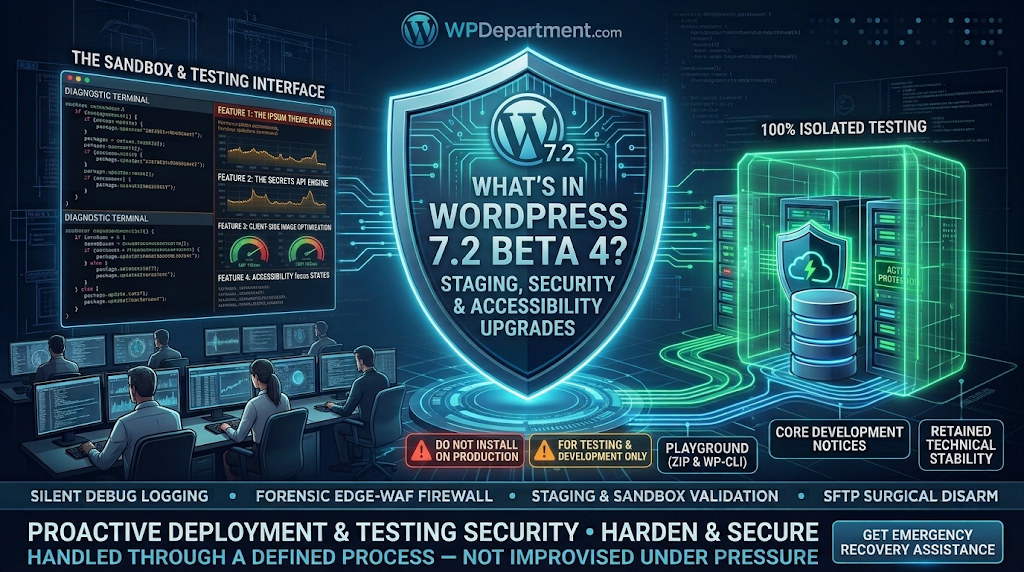
1. Settle the Debate: What Happened to WordPress 7.2 Beta 3?
Many testers who had been following the weekly release schedule noticed a sudden jump from Beta 2 (October 27) straight to Beta 4 (November 3).
┌────────────────────────────────────────────────────────┐
│             THE 7.2 RELEASE TIME SHIFT UNPACKED        │
├────────────────────────────────────────────────────────┤
│ Oct 20: Beta 1         ► Ipsum theme, Secrets API launch│
│ Oct 27: Beta 2         ► Stroke icons, Abilities API v1│
│ Oct 28: Beta 3         ► MERGED TO 7.1.4 SECURITY PATCH │
│ Nov  3: Beta 4 (Active)► Windows High-Contrast, focus  │
└───────────────────────────┬────────────────────────────┘
                            │  Security Convergence Block
                            ▼
┌────────────────────────────────────────────────────────┐
│           December 8, 2026: FINAL STABLE RELEASE       │
└────────────────────────────────────────────────────────┘
The gap wasn’t an oversight. On October 28, 2026, the WordPress core team fast-tracked the release of WordPress 7.1.4 to address critical vulnerabilities.
With those security bases covered, Beta 4 was released on schedule on November 3, ensuring a secure and aligned development path forward.
2. Ipsum: Hands-On with the New default Theme
The first default theme in 16 years not to be named after its launch year, Ipsum is a minimal, block-based blank canvas designed specifically for the Site Editor.
┌────────────────────────────────────────────────────────┐
│               IPSUM DEFAULT THEME PARADIGM             │
├────────────────────────────────────────────────────────┤
│ • Minimal visual footprint (Pure utility canvas)       │
│ • Clearer keyboard focus indicators (Windows High-Con) │
│ • Better support for RTL & screen-readers              │
│ • Fluid typography & responsive design states          │
└────────────────────────────────────────────────────────┘
Beta 4 introduces key refinements to Ipsum, focusing on accessibility:
Improved Keyboard Focus Indicators
Enforces highly visible focus states, particularly within Windows High Contrast Mode.
Semantic Accessibility (a11y)
Delivers more descriptive screen-reader links and better support for Right-to-Left (RTL) language scripts.
Block Pattern & Color Harmony
Refines responsive touch target spacing and expands palette compatibility when transitioning Global Styles.
3. Under the Hood: Key Feature Upgrades in WordPress 7.2 Beta 4
WordPress 7.2 Beta 4 is packed with significant performance, security, usability, and design updates:
A. Secure Encryption via the New Secrets API
B. Browser-Side (Client-Side) Image Optimization
C. UI Continuity: Modern Icons & Interface Tweaks
D. Interactive Additions: "On This Day" & "/random/" Redirection
The "On This Day" Dashboard Widget
A nostalgic addition that pulls together posts published on the same calendar date from previous years.
Native "/random/" Redirection
A native URL route ([yoursite.com/random/](https://yoursite.com/random/)) that sends visitors to a random published post. This uses temporary redirects and "noindex" headers to protect your SEO. If a custom page already exists at that path, it retains priority, and developers can disable the feature entirely if needed.
E. Block Editor and Gutenberg Refinements
Feature Layer
Prior Approach
WordPress 7.2 Strategy
Use-Case Highlight
API Keys & Tokens
Plaintext options or transient database tables
Standardizes secure key storage
Integrations
Unified Abilities API expansion
Allows AI and external plugins to read capabilities
Metadata Views
Unified FSE DataViews Extensibility
Enhances data grids in custom backends
HTML Hygiene
Built on HTML API Core parser
5. Step-by-Step: How to Test 7.2 Beta 4 Risk-Free
Option A: Instant Browser Testing via WordPress Playground
Test 7.2 Beta 4 instantly with zero installation or setup. Run a fully functional virtual sandbox directly inside your browser using WebAssembly:
- Launch The WordPress Playground 7.2 Beta 4 Instance.
- Build block patterns, test responsive behaviors, and explore new settings.
- Refresh your tab to instantly discard the session, with no impact on your local machine or server.
Option B: Using the WordPress Beta Tester Plugin on Staging
- Create and verify a full backup snapshot of your codebase and MySQL database.
- Install and activate the official WordPress Beta Tester plugin on your staging site.
- Navigate to Tools > Beta Testing, select the Bleeding edge channel and the Beta/RC Only stream, and save.
- Go to Dashboard > Updates and upgrade your staging core to the Beta 4 build.
Option C: Upgrading via WP-CLI
For system administrators and developers managing server containers, execute the core update command through WP-CLI:
Bash
# Safely upgrade sandbox files & run the required DB scheme update
wp core update --version=7.2-beta4 --force
wp core update-db
6. Defensive Engineering: Staging Update Validation
To prevent pre-release versions or unstable development builds from ever executing on live production servers, our engineers deploy automated environment gates:
PHP
<?php
/**
* Plugin Name: Staging and Pre-Release Upgrade Guard
* Description: Protects production databases by blocking beta/RC core updates on live environments.
* Author: WPDepartment.com
*/
if ( ! defined( ‘ABSPATH’ ) ) {
exit;
}
add_action( ‘admin_init’, ‘wpd_prevent_production_beta_updates’ );
function wpd_prevent_production_beta_updates() {
// Only target administrators trying to make core edits
if ( ! current_user_can( ‘update_core’ ) ) {
return;
}
// Determine current environment
$is_production = ( defined( ‘WP_ENVIRONMENT_TYPE’ ) && ‘production’ === WP_ENVIRONMENT_TYPE );
// Block upgrade if attempting to run a beta version on a live production domain
if ( $is_production && function_exists( ‘wp_get_update_data’ ) ) {
$update_data = wp_get_update_data();
// Target core updates to alert admins
if ( ! empty( $update_data[‘counts’][‘core’] ) ) {
add_action( ‘admin_notices’, function() {
echo ‘<div class=”notice notice-error is-dismissible”>’;
echo ‘<p><strong>[WPDepartment Security Guard]</strong> Warning: Major pre-release core update attempt intercepted. Installing pre-release WordPress builds (such as Beta or RC releases) is strictly blocked on live production environments to preserve database integrity. Please test in isolated staging sandboxes.</p>’;
echo ‘</div>’;
});
}
}
}
Frequently Asked Questions
Keep Your Website Fast, Secure, and Ready for WordPress 7.2
To understand the company behind these solutions, you can explore Staxtar’s official platform for more technical and business details.