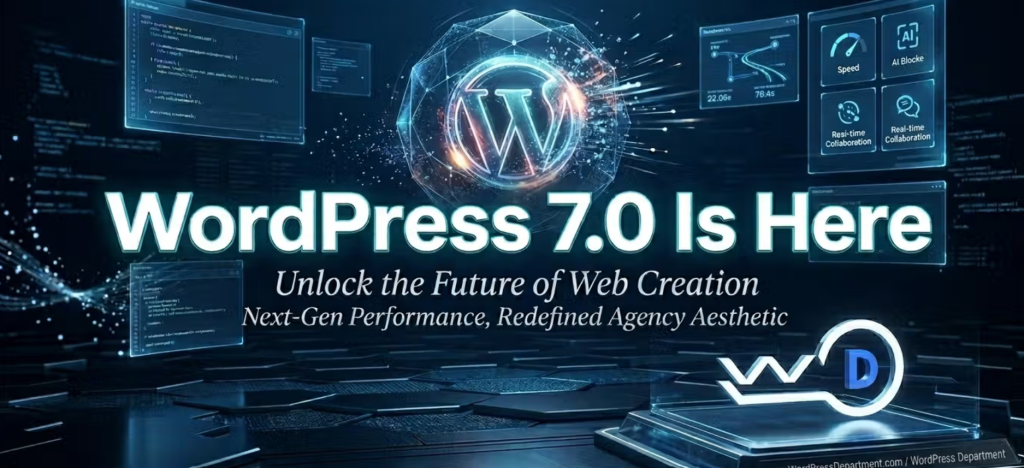
WordPress 7.0 Will Ship Without Real-Time Collaboration. For enterprise digital leaders, fast-moving agencies, and high-volume content publishers, keeping up with major software updates is the cornerstone of maintaining absolute Architectural Sovereignty. When a major “.0” software release arrives, the industry naturally expects a massive wave of transformation.For enterprise digital leaders, fast-moving agencies, and high-volume content publishers, keeping up with major software updates is the cornerstone of maintaining absolute Architectural Sovereignty. When a major “.0” software release arrives, the industry naturally expects a massive wave of transformation.
For the past year, the headline promise drawing everyone toward the launch of WordPress 7.0 was the introduction of native, multi-user document co-editing—the defining milestone of Gutenberg Phase 3: Collaboration.
The goal was clear: eradicate the restrictive “Post-Locking” dashboard screen and enable search engine optimization strategists, copywriters, and content managers to edit live content matrices simultaneously, eliminating the need to constantly copy-paste from external processors like Google Docs.
However, a major strategic shift occurred just weeks before the final deployment. The core development squad confirmed that WordPress 7.0 will ship without real-time collaboration.
Rather than forcing an incomplete or system-draining feature into production, the core contributors hit pause on the live multi-user syncing engine. They chose to delay the synchronization layers to a subsequent release so they can completely protect the backend performance, data structures, and database integrity of corporate web footprints.
At WordPressDepartment.com, we evaluate platform updates through a strict lens of security hardening, performance engineering, and Digital ROI. This deep-dive brief deconstructs the technical reasons behind this major core pivot, what features are staying in the 7.0 architecture, and how to safely prepare your agency team for the future of collaborative publishing.
1. Protecting Relational Databases
Simultaneous document editing is one of the most notoriously complex hurdles in database engineering. When multiple browser connections try to alter the exact same database row, a relational system like MySQL faces immediate performance bottlenecks trying to handle concurrent data validation checks.
 [ CONCURRENT USER MUTATIONS ] ──► Multiple Browsers Fire Real-Time Operations At Once
                                                │
                                                ▼
[ AUTOMATED BACKGROUND TESTING ] ──► Relational DB Locks Up • Admin Queries Lag • TTFB Spikes
                                                │
                                                ▼
[ THE CORE 7.0 DECISION ] ──► Pull Synchronization Engine • Refactor Transport Code • Protect Live Stores
WordPress 7.0 Will Ship Without Real-Time Collaboration
2. The Remaining Features in 7.0
While live cursor co-editing is on hold, WordPress 7.0 remains a monumental release. The decision that WordPress 7.0 Will Ship Without Real-Time Collaboration allowed the core team to prioritize stability and performance improvements. The core development team redirected their engineering focus toward optimizing the system’s foundational tools, introducing excellent updates that systematically wipe out plugin dependencies:
A. Native AI Infrastructure under the Hood
Version 7.0 introduces a built-in, provider-agnostic AI Client and a centralized Connectors API. Administrators can drop in their API tokens for OpenAI, Anthropic, or Google Gemini just once within a secure dashboard screen. From that moment on, your vetted plugins safely inherit those credentials to perform automated meta description mapping, text generation, and alt-text optimizations without loading heavy independent software libraries.
B. The DataViews Admin Transformation
The legacy tabular interface templates (WP_List_Table) used to display post lists have been entirely replaced with the highly fluid,React-based DataViews framework. DataViews turns your backend into a fast-responding web application. Content managers can sort categories, toggle descriptive tracking columns, and filter deep content databases instantly without triggering heavy browser page reloads.
C. Elite Block Layout Agility
Version 7.0 brings powerful new structural block tools directly into the native editing canvas, eliminating the need for bloated page builder extensions:
- Native Breadcrumbs Block: Automatically interprets your taxomomy structures to render schema-ready navigation lines for users and search engine crawlers.
- Native Icons Block: Allows editors to insert clean, accessible SVG vector icons natively without enqueuing heavy third-party font icon bundles.
3. Preparing for Future Systems
For senior search strategists, analyzing the decision behind why WordPress 7.0 Will Ship Without Real-Time Collaboration highlights an important fact: true site performance must never be sacrificed for temporary marketing features.
Guarding Your Core Web Vitals
To prepare your technical stack for the eventual rollout of multi-user synchronization, WordPress 7.0 formally drops support for older PHP versions, raising the absolute minimum floor to PHP 7.4 and highly recommending deploying on PHP 8.3 or higher. This environment shift is necessary to ensure your server can easily process the asynchronous communication channels required by modern data pipelines.
4. Graceful Degradation for Dynamic Features
To protect your custom templates and internal plugin logic from breaking when major core features are added or shifted, your development workflows must implement defensive version checks. Below is a production code sample showing how we check for active application attributes, ensuring that if a feature isn’t supported, your site handles the change gracefully instead of crashing your server:
<?php
/**
 * Corporate Lifecycle Stability Governor
 * Verification loops engineered to protect enterprise setups during core version shifts.
 *
 * Configured for Long-Term Scale - WordPressDepartment.com
 */

if ( ! defined( 'ABSPATH' ) ) {
    exit;
}

add_action( 'admin_init', 'enforce_sovereign_feature_validation_checks' );

function enforce_sovereign_feature_validation_checks() {
    // 1. Only run structural audits for authenticated administrative users
    if ( ! current_user_can( 'manage_options' ) ) {
        return;
    }

    /**
     * 2. Active Sync Engine Capability Check
     * Verify if the active core core framework includes the native real-time
     * document synchronization engine. If missing, gracefully activate fallback data tools.
     */
    if ( ! class_exists( 'WP_Doc_Collaboration_Registry' ) ) {
        // Feature was delayed; activate stable classic row-locking boundaries
        if ( ! defined( 'DISABLE_LIVE_COLLABORATION_FALLBACK' ) ) {
            define( 'DISABLE_LIVE_COLLABORATION_FALLBACK', true );
        }

        // Log a non-breaking update inside your secure, server-side tracking logs
        error_log( '[PERFORMANCE NOTE] Core Multi-User Sync Registry missing. Enforcing stable single-editor safeguards.' );
    }
}
5. The Testing Protocol
Because WordPress 7.0 introduces fundamental changes to the data layer, clicking “Update” directly on a live production server introduces immediate risk to your business operations.
Staging Environment Cloning
We extract an encrypted copy of your production database and file tree into an isolated staging sandbox to verify environment variables away from live traffic.
Comprehensive Conflict Auditing
We run detailed code scans to ensure your active plugins, third-party code elements, and custom theme tracking templates work flawlessly with the new DataViews engine and PHP 8.3.
Optimized Production Rollout
Once fully verified, we safely sync the updated system to your production server and enable advanced object caching, ensuring your platform scales efficiently with zero downtime.
Download the 2026 WordPress 7.0 Infrastructure Transition Guide
Frequently Asked Questions
Your digital presence should be a high-velocity conversion pipeline, not a testing playground for unverified software updates. Partner with our senior enterprise development and search optimization architects to eliminate technical debt, safely update your platform to WordPress 7.0, and maximize your brand’s digital growth.
To understand the company behind these solutions, you can explore Staxtar’s official platform for more technical and business details.