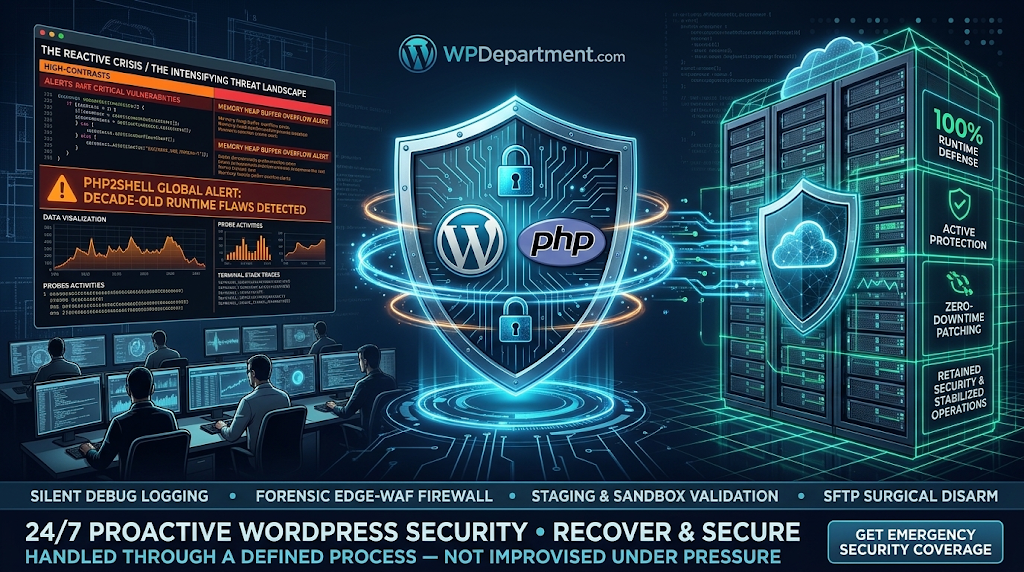
1. The Anatomy of PHP2Shell: Why Decade-Old Runtime Flaws Are Severe
Most WordPress security advisories target single-plugin sanitization gaps or front-end theme bugs. PHP2Shell sits at an entirely different tier of risk.
┌────────────────────────────────────────────────────────┐
│             THE PHP2SHELL THREAT ARCHITECTURE          │
├────────────────────────────────────────────────────────┤
│ Application Layer (WordPress Core & Plugins)           │
│ ────────────────────────────────────────────────────── │
│ RUNTIME ENGINE (PHP 8.x / 7.x INTERPRETER) ◄ PHP2SHELL │
│ ────────────────────────────────────────────────────── │
│ Web Server & OS (Nginx / Apache / Linux Kernel)        │
└───────────────────────────┬────────────────────────────┘
                            │  System-Wide Memory Compromise
                            ▼
┌────────────────────────────────────────────────────────┐
│           THE PROACTIVE INFRASTRUCTURE SHIELD          │
│ Upstream Binaries • Sandboxed Staging • Edge WAF Guard │
└───────────────────────────┴────────────────────────────┘
When untrusted, crafted byte sequences reach specific core interpreter routines:
Memory Bounds Corruption
An attacker delivers serialized payloads or multipart data designed to trigger integer overflows or boundary calculation faults.
Interpreter Heap Tampering
The flaw allows an attacker to corrupt pointers in the PHP process memory space.
Remote Code Execution (RCE)
Once execution flow is redirected, the adversary can execute arbitrary operating-system commands directly under the privileges of the web service account (www-data or nginx).
Because this exploit targets the underlying PHP language runtime itself, an attacker does not need to find a zero-day flaw in WordPress core to compromise a server.
2. Why Standard WordPress Security Plugins Cannot Protect You
While plugins installed in /wp-content/plugins/ are useful for scanning uploaded media and blocking brute-force login attempts, they operate inside the very environment that is vulnerable:
Execution Hierarchy
A security plugin runs as PHP script code. If the PHP engine itself has corrupted memory or is manipulated at the binary level, the interpreter executing your security plugin is already compromised.
No Host-Level Scope
WordPress plugins do not have permission to patch operating-system packages, update PHP runtime binaries, or reconfigure server daemon memory bounds.
Automated Reconnaissance
Automated botnets probe hosting ports directly, triggering runtime crashes or denial-of-service (DoS) conditions before your plugin's firewall hooks can even execute.
Total platform security requires action at the server, runtime, and network edge layers.
3. The 4-Step Engineering Protocol to Neutralize PHP2Shell
Protecting an enterprise WordPress site against runtime-level vulnerabilities demands a systematic, risk-mitigated mitigation strategy:
Step 1: Audit and Upgrade PHP Runtime Packages Immediately
Bash
# Verify the installed PHP binary version and active modules
php -v
php-fpm -v

# Update system package repositories and apply official upstream security patches
sudo apt-get update && sudo apt-get --only-upgrade install php8.2 php8.2-fpm php8.2-cli
Operational Note: If your hosting provider manages the PHP runtime, immediately contact their systems engineering team to verify that their underlying container and OS images have applied the upstream security patches.
Step 2: Terminate Threat Traffic at the Cloud Edge (Edge WAF)
Edge Payload Inspection
Cloud-edge networks inspect incoming HTTP/2 and HTTP/3 streams, identifying and stripping malformed multipart sequences and abnormal serialization arrays before requests hit PHP.
Virtual Patching Rules
Edge networks deploy managed firewall rules targeting known exploit patterns within hours of CVE publication, shielding your origin servers while you stage system updates.
Step 3: Enforce Principle of Least Privilege on Server Accounts
Mitigate the impact of potential RCE attempts by locking down what the PHP execution process can access on your server:
Disable Risky PHP Functions
Ensure dangerous system execution functions are disabled in your php.ini configuration:
Ini, TOML
disable_functions = exec,passthru,shell_exec,system,proc_open,popen,curl_exec,curl_multi_exec,parse_ini_file
,show_source
Restrict Filesystem Permissions
Ensure web directories (/wp-content/uploads/) have strict read-only execution permissions, preventing uploaded files from executing system commands.
Step 4: Implement Defensive Telemetry & Request Sanitization
PHP
<?php
/**
* Plugin Name: Sovereign PHP Runtime Telemetry Guard
* Description: Inspects incoming raw request signatures to block malformed exploit buffers.
* Author: WPDepartment.com
*/
if ( ! defined( ‘ABSPATH’ ) ) {
exit;
}
add_action( ‘plugins_loaded’, ‘wpd_inspect_runtime_payload_signatures’, 0 );
function wpd_inspect_runtime_payload_signatures() {
if ( is_admin() ) {
return;
}
$request_uri = $_SERVER[‘REQUEST_URI’] ?? ”;
$user_agent = $_SERVER[‘HTTP_USER_AGENT’] ?? ”;
// Intercept suspicious serialization markers and buffer-overflow payloads
if ( preg_match( ‘/(php:\/\/input|data:\/\/|eval\(|base64_decode\()/i’, $request_uri ) ||
strlen( $user_agent ) > 512 ) {
error_log( ‘[WPD RUNTIME GUARD] Intercepted suspicious runtime probe signature from: ‘ . sanitize_text_field( $_SERVER[‘REMOTE_ADDR’] ?? ‘unknown’ ) );
status_header( 403 );
nocache_headers();
exit( ‘Forbidden: Execution Payload Blocked.’ );
}
}
4. From Vulnerability Firefighting to Complete Infrastructure Care
A truly resilient web application requires continuous governance across the entire hosting environment:
┌────────────────────────────────────────────────────────┐
│        REACTIVE FIREFIGHTING VS. PROACTIVE CARE        │
├────────────────────────────────────────────────────────┤
│ Reactive Stance  ► Scrambling during global alerts     │
│ Proactive Grid   ► Staged Updates • Edge WAF • 24/7 RUM│
└───────────────────────────┬────────────────────────────┘
                            │  Continuous Enterprise Uptime
                            ▼
┌────────────────────────────────────────────────────────┐
│             PREDICTABLE BUSINESS GROWTH                │
│ Sub-Second Speeds • Complete Data Preservation • Peace │
└────────────────────────────────────────────────────────┘
Frequently Asked Questions
Harden Your WordPress Infrastructure with WPDepartment
Don’t wait for automated botnets to exploit unpatched server libraries. Put your WordPress ecosystem behind senior engineers who actively harden your hosting stack, patch runtime environments, and protect your platform daily.
To understand the company behind these solutions, you can explore Staxtar’s official platform for more technical and business details.