
In the hyper-connected corporate landscape of 2026, page builder technology has hit a critical evolutionary wall. For years, digital agencies and enterprise brands have faced a frustrating trade-off: choose the visual agility and rapid deployment of drag-and-drop builders, or opt for the elite performance and clean code output of custom hand-coded environments. Stacking monolithic widgets to achieve high-fidelity layouts created immediate Technical Debt, loading heavy page structures that dragged down performance metrics.
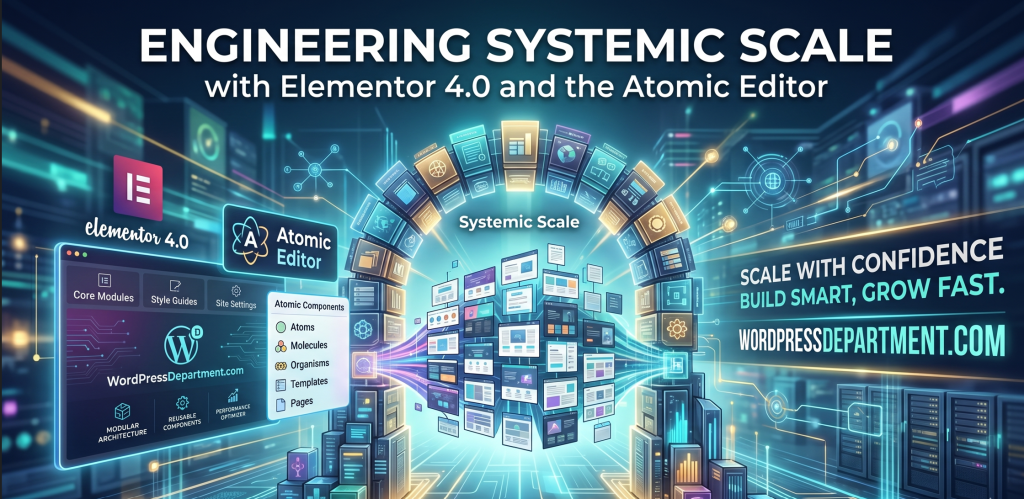
The release of Elementor 4.0 shatters this compromise. This isn’t a surface-level interface facelift or a collection of minor visual additions; it is a complete restructuring of page builder logic. Elementor 4.0 introduces the Atomic Editor, a ground-up architectural rewrite that ditches the classic Section – Column – Widget layout system in favor of an ecosystem built on modularity, reusable components, and class-first styling.
For agency founders, product marketers, and enterprise developers, this version change transitions your workflow from building one-off landing pages to engineering Scalable Design Systems.
At WordPressDepartment.com, we evaluate platform updates through the lens of Technical Sovereignty and Digital ROI. This breakdown explores the technical mechanics of Elementor 4.0, how it helps your site smash Google’s strict Core Web Vitals performance markers, and the best practices for migrating your agency’s assets to this new design environment.
1. Inside the Atomic Architecture
The fundamental flaw of legacy page page-building frameworks is the nested wrapper problem. To render a simple text box, older page builders generate multiple layer containers, inflating your site’s document structure and creating massive DOM Bloat. Search engine crawlers struggle to index deep code nests, and mobile rendering speeds drop.
The Atomic Editor tackles this performance lag by implementing core principles of Atomic Design, breaking complex user interfaces into their fundamental building blocks Atoms.
The Technical Foundations of the Atomic System:
React.js Rebuilt Core Engine
The entire Elementor 4.0 workspace backend is rebuilt on React.js. This moves user layout interactions off the server thread and processes changes dynamically in the browser, making layout design incredibly responsive even on massive, content-heavy sites.
Single-Div Flexbox Structures
The old widget nesting hierarchy is completely gone. In version 4.0, every layout block uses a lean, semantic, Flexbox-driven div structure. This slashes HTML node depth and provides pixel-perfect alignment control over spacing, alignment, and wrapping natively.
Separation of Concerns
The Atomic Editor explicitly isolates three core layers of web production: Structure (semantic layout blocks), Styling (reusable classes and global variables), and Content (text, media, and dynamic tag inputs).
2. Variables, Classes, and Components
Designing websites element-by-element is an operational bottleneck that destroys agency profit margins. Elementor 4.0 shifts development toward a centralized system-based approach using three architectural tools:
A. Core Variables Framework
Instead of setting site colors and typography sizes locally on each element, you define your brand tokens globally as explicit variable strings. These variables replace older, legacy site styles, acting as a single, site-wide source of truth. If a brand changes its primary color scheme, adjusting that single variable instantly rolls the style update across every page referencing it.
B. Class-First CSS Workflows
Elementor 4.0 introduces native Classes. Instead of constantly copying and pasting padding, border radiuses, and hover settings from block to block, you bundle these design traits into an asset class (e.g., .btn-primary or .section-container-padded). You can apply these styles across your environment in seconds, maintaining code consistency and dramatically cutting down your raw stylesheet size.
C. Reusable Component Structures
Components allow you to build complex layout blocks once and deploy them globally. If you modify a parent component, the update pushes to every instance across your entire domain. Version 4.0 also integrates Atomic Forms and Atomic Tabs, breaking down complex compound interfaces into independent elements that can be individually nested and styled without custom code workarounds.
3. Sashing Core Web Vitals Bloat
In 2026, WordPress Speed is a critical metric for search rankings. Google’s search algorithms treat user experience parameters as direct indexing factors. The lean code structures produced by Elementor 4.0 provide immediate, field-tested performance improvements:
Largest Contentful Paint (LCP) Upgrades
engine strips away redundant container code, your primary page text and visual brand assets render significantly faster. Internal benchmarks show up to 30% faster page rendering compared to legacy builders, helping your site easily clear the 1.2-second LCP target.
Interaction to Next Paint (INP) Optimization
Shifting the main builder framework to React.js ensures that elements react immediately to user input, preventing the main browser thread from locking up and securing elite responsiveness marks.
Reduced Cumulative Layout Shift (CLS)
The CSS-first rendering path handles styling sheets before elements paint on screen, eliminating sudden layout shifts during image loading and increasing brand trust.
4. Creating Seamless Dynamic Integrations
To maintain a clean system framework and prevent code regressions, developers can use custom scripts to seamlessly map variables between legacy components and the new Atomic system. Below is an enterprise-grade code sample demonstrating how to programmatically register and pass system variables to keep your site-wide design system fully synchronized:
/**
 * Elementor 4.0 System Variable Synchronizer
 * Automatically maps legacy design foundations to the new Atomic variable architecture.
 * Engineered for Enterprise Optimization - WordPressDepartment.com
 */

add_action( 'elementor/v4/editor/init_design_system_sync', function( $system_manager ) {
    // 1. Verify Elementor 4.0 core framework is active
    if ( ! method_exists( $system_manager, 'register_atomic_variable' ) ) {
        return;
    }

    // 2. Fetch centralized brand identity specs from system configuration files
    $brand_colors = defined( 'ENTERPRISE_BRAND_PALETTE' ) ? ENTERPRISE_BRAND_PALETTE : [
        'primary-brand-node' => '#0A66C2',
        'accent-brand-node'  => '#FF5A5F',
        'neutral-dark-node'  => '#111111'
    ];

    // 3. Programmatically inject design variables into the Atomic editor core
    foreach ( $brand_colors as $token_handle => $hex_value ) {
        $system_manager->register_atomic_variable(
            "enterprise-{$token_handle}",
            [
                'label'         => ucwords( str_replace( '-', ' ', $token_handle ) ),
                'type'          => 'color',
                'default_value' => sanitize_hex_color( $hex_value ),
                'category'      => 'brand-identity-foundations'
            ]
        );
    }
});
5. Transitioning at Your Own Pace
A major concern when a major page builder version drops is the fear of breaking live production environments. The Elementor team designed version 4.0 with migration flexibility in mind: upgrading does not alter your existing pages automatically. Legacy layouts continue to run safely using their original code paths.
Our Recommended Phased Migration Blueprint:
Sandbox Cloning
Never activate a major page builder rewrite directly on a live production server. Clone your environment to an isolated staging area.
Activate the Atomic Layer
Go to WordPress Dashboard → Elementor → Editor → Settings → Atomic Editor and click the activate handle.
Gradual Adaptation
Build all new campaigns, seasonal pages, and landing layouts using the new Atomic Elements. For existing legacy pages, you can mix and match components, gradually refactoring older sections into clean Atomic containers over time without needing to scrape and rebuild your entire site from scratch.
Download the 2026 Core Web Vitals & Elementor 4.0 Migration Guide
Audit your site’s current layout nesting depth, isolate DOM bloat bottlenecks, and map out a safe transition to system-based web engineering.